
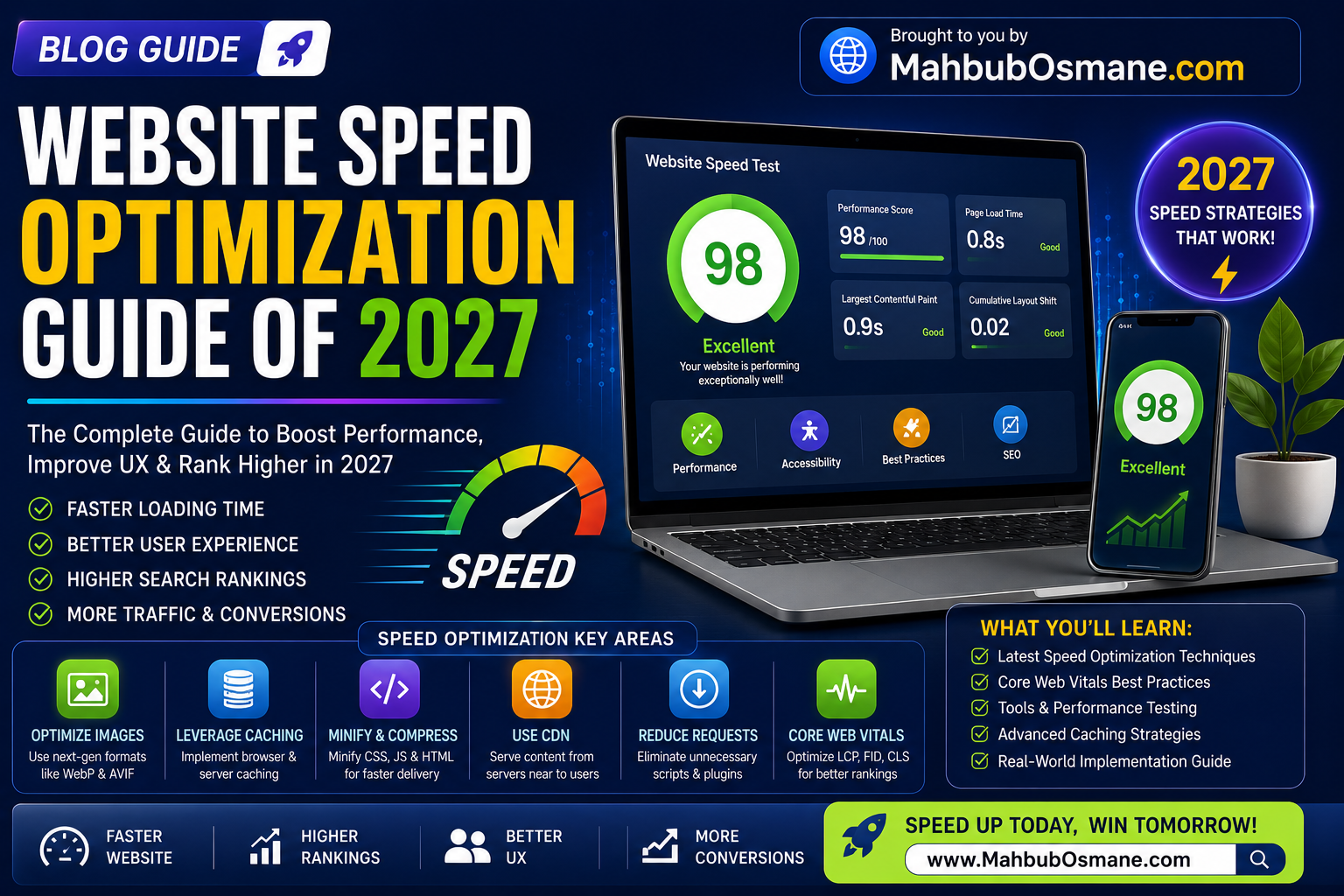
Website Speed Optimization Guide 0f 2027
In 2027, the digital landscape is operating at a pace where traditional speed metrics have transformed entirely. The internet is no longer just a collection of static web pages accessed via standard desktop browsers; it is an omnipresent network driven by AI search agents, automated scrapers, complex JavaScript frameworks, and massive global mobile adoption.
If your website takes longer than two seconds to load, it is functionally broken in the eyes of both users and modern search algorithms.
Speed optimization is no longer a localized checkbox for your web development team; it is an active revenue generator. The correlation between technical performance and business success is absolute: faster load times mean higher search rankings, lower user bounce rates, elevated engagement metrics, and an immediate lift in conversion rates. Conversely, poor page performance acts as a silent funnel leak, actively pushing qualified organic traffic straight into the arms of your competitors.
This comprehensive engineering playbook breaks down the exact strategies, underlying metrics, and advanced configurations required to achieve a blazingly fast website in 2027.
The 2027 Performance Metric Universe
To optimize performance effectively, you must understand exactly how modern engines evaluate user experience. The core framework revolves around Google’s Core Web Vitals, which focus heavily on real-user field data through the Chrome User Experience Report (CrUX) rather than isolated sandbox laboratory simulations.
Core Web Vitals (CWV) Thresholds
| Metric | Focus Area | Good Threshold | Poor Threshold |
| LCP (Largest Contentful Paint) | Loading Performance | Under 2.0 seconds | Over 4.0 seconds |
| INP (Interaction to Next Paint) | Interactivity & Responsiveness | 200 milliseconds or less | Over 500 milliseconds |
| CLS (Cumulative Layout Shift) | Visual Stability | 0.1 or less | Over 0.25 |
Largest Contentful Paint (LCP)
LCP tracks the exact moment the main block of content on your page—typically a large hero image, a primary banner, or a massive H1 headline text block—renders fully on the user’s screen. While the historic standard allowed for a 2.5-second buffer, modern updates have tightened the “Good” target threshold down to a strict 2.0 seconds. Any page that delays this structural paint forces the user to sit staring at empty space, signaling that the website is unresponsive.
Interaction to Next Paint (INP)
Having fully replaced the legacy First Input Delay (FID) metric, INP stands as the most critical hurdle for dynamic modern applications. While FID only measured a user’s first physical tap, INP continuously tracks the latency of every single interaction (clicks, taps, and keyboard inputs) across the entire lifespan of the page visit. It reports the worst-case delays between user input and the precise frame the browser displays a visual change. Keeping this under 200 milliseconds requires strict main-thread JavaScript execution management.
Cumulative Layout Shift (CLS)
CLS provides a comprehensive score tracking unexpected layout movements during a page’s rendering cycle. We have all experienced the frustration of trying to click a link on a mobile device, only for an un-dimensioned image or a delayed third-party advertisement banner to pop in late, shifting the entire view and causing an accidental click elsewhere. A stable UI must maintain a CLS score below 0.1.
Critical Diagnostics: TTFB and FCP
Beyond the Core Web Vitals, two engineering milestones dictate your site’s speed foundation:
-
Time to First Byte (TTFB): Measures the duration between the initial HTTP request and the very first byte of data returned by the server to the browser. It is the ultimate diagnostic metric for testing server performance, database queries, and raw infrastructure efficiency. Target: Under 200ms.
-
First Contentful Paint (FCP): Tracks the exact millisecond when the browser renders the absolute first piece of DOM content (such as background colors, text, or structural borders). This acts as the initial psychological validation to the visitor that the website is loading properly. Target: Under 1.0 second.
Server Infrastructure & Edge Network Engineering
True speed optimization begins at the architectural foundation. If your underlying server configuration is slow, no amount of client-side optimization, minification, or image compression can save your page metrics.
The Imperative of Specialized Managed Hosting
Relying on legacy multi-tenant shared hosting platforms is the fastest way to kill your site’s performance. In a shared environment, your site shares memory, processing power, and bandwidth with hundreds of unrelated web properties. If another site experiences a massive traffic spike, your website’s TTFB immediately suffers.
Move your operations to high-tier Managed WordPress Hosting, cloud-native Virtual Private Servers (VPS), or fully containerized cloud deployments (AWS, Google Cloud, DigitalOcean). These modern environments allocate dedicated system resources, provide highly optimized server-side application stacks, and dynamically scale to prevent performance degradation during traffic surges.
Upgrading to the Modern Protocol Stack
Ensure your systems run exclusively on highly efficient, modern server runtimes and communication protocols:
-
PHP 8.x+ Execution: Ensure your backend applications run on the latest iterations of PHP 8. This provides substantial execution speed leaps and dramatically optimized memory usage compared to older legacy versions.
-
HTTP/3 Integration: Move past legacy HTTP/1.1 and HTTP/2 setups. HTTP/3 utilizes the advanced QUIC transport layer protocol, running over UDP instead of TCP. This fundamentally eliminates head-of-line blocking issues across connections, dramatically cutting connection handshakes and improving performance over high-latency or unstable mobile networks.
The Architecture of Multi-Layer Caching
Rather than generating identical dynamic pages from scratch for every single visit, utilize a robust, multi-layer caching system to serve assets instantly:
-
Page Caching: Compiles complex dynamic backend database outputs into static HTML files stored directly on the server disk or memory. This allows the server to instantly return standard HTML to subsequent visitors without executing database calls.
-
Object Caching (Redis/Memcached): Intercepts persistent database requests, caching frequently queried data points directly in RAM for rapid application retrieval.
-
Opcode Caching (OPcache): Precompiles human-readable PHP scripts into executable machine bytecode, keeping it readily accessible in memory to bypass repetitive file compilations.
Global Decentralization via Advanced CDNs
To minimize physical data latency, leverage a Tier-1 Content Delivery Network (CDN) like Cloudflare, Bunny.net, or Fastly.
Modern CDNs do far more than just distribute static files. Implement Full-Page Edge Caching through systems like Cloudflare Workers or Vercel Edge Networks. This technique stores copies of your website’s entire static HTML code across global data centers. When a visitor initiates a request, the data center closest to them fulfills it directly from the edge, bypassing the long round-trip journey to your origin server and dropping your regional TTFB down to double-digit milliseconds.
High-Performance Media & Asset Optimization
For the vast majority of websites, unoptimized media files represent the absolute heaviest elements on the page, acting as the primary bottleneck for bad LCP marks.
The Modern Image Optimization Workflow
[Raw Image Upload]
       │
       ▼
[Dimensions Crop] ──► Match target display size (e.g., max 1200px width)
       │
       ▼
[Format Conversion] ──► Convert to WebP or AVIF formats
       │
       ▼
[Lossy Compression] ──► Compress file down to under 150KB
       │
       ▼
[HTML Code Delivery] ──► Inject explicit width/height + loading="lazy" attributes
Format Conversion (AVIF & WebP)
Completely phase out legacy PNG and JPEG extensions for structural imagery. Modern standards dictate the use of next-generation asset extensions like AVIF and WebP. AVIF offers advanced compression ratios, providing file size reductions up to 50% smaller than JPEGs while preserving high visual clarity and eliminating color banding.
Precise Structural Dimensioning
Never upload a massive raw image straight from a camera roll or stock site. If a blog template displays images at a maximum width of 800 pixels, scaling down a massive 4000-pixel-wide asset inside your media library prevents the browser from downloading millions of redundant pixels. Always use lossy compression tools (such as TinyPNG, EWWW Image Optimizer, or CLI tools like cwebp) to compress files below 150KB before serving them.
Native Lazy Loading Integration
Instruct user browsers to download imagery exclusively as it approaches the viewport by implementing native lazy loading:
HTML
<img src="optimized-visual.avif" loading="lazy" alt="Descriptive alt text" width="800" height="450">Critical LCP Exception: Never lazy-load the primary image located above the fold (like your primary hero banner or logo). Doing so delays asset discovery, hurting your LCP score. Ensure these elements use
loading="eager"along with high-priority preloading instructions.
Eliminating Layout Shifts by Reserving Space
To completely eliminate visual layout shifts caused by delayed asset loading, the browser must know the exact dimensions of elements before they download. Always include explicit width and height pixel attributes directly inside your HTML tags, or configure modern CSS aspect-ratio rules:
CSS
.blog-hero-image {
  width: 100%;
  height: auto;
  aspect-ratio: 16 / 9;
}
This reserves a blank structural box on the page layout while the asset downloads, ensuring that content below doesn’t jump unexpectedly when the image renders.
Optimized Video Delivery
-
Offload Video Hosting: Never upload raw MP4 or MOV files directly onto your website’s origin hosting server. This strains server bandwidth and slows down page delivery. Instead, host video assets on dedicated infrastructure like YouTube, Vimeo, Wistia, or cloud storage blocks like AWS S3.
-
Lazy Load Dynamic Embeds: Third-party video player frames contain massive, render-blocking JavaScript files. Use placeholders or lightweight interactive covers that only swap out for the live video frame when a user actively clicks the play element.
Code & Document Delivery Optimization
Heavy, unoptimized source code slows down rendering pipelines because browsers process elements line-by-line from top to bottom. Cleaning up your underlying code footprint yields massive speed dividends.
Minification and Text Compression
Text-based code assets (HTML, CSS, and JS) must be compressed to their absolute smallest footprint before transmission.
-
Minification: Automatically strips away developer comments, empty whitespace spacing, formatting tabs, and long variables to compress code files without altering functionality.
-
Brotli Compression: Ensure your origin server or CDN has Brotli compression enabled. Brotli is a highly advanced, text-focused compression algorithm that outperforms traditional Gzip, delivering up to 20-30% better file compression to minimize overall data transfer sizes.
Streamlining CSS Delivery
-
Eliminating Render-Blocking Stylesheets: By default, browsers pause page rendering until they completely download and process every linked external stylesheet, creating significant visual delays.
-
Extracting Critical CSS: Isolate the absolute minimum amount of CSS styling required to render the content immediately visible above the fold. Inline this critical CSS directly into the HTML
<head>block, and defer the delivery of your main, larger stylesheet so it loads asynchronously below the fold.
Typography and Font Optimization
Custom web fonts are a common culprit behind layout shifts and flash-of-invisible-text (FOIT) issues.
-
Standardize on WOFF2: Exclusively use the highly optimized WOFF2 file format, which features advanced built-in compression algorithms.
-
Host Fonts Locally: Avoid fetching fonts from third-party networks like Google Fonts. Hosting font files directly on your server or CDN eliminates external DNS lookups and keeps connections local.
-
Implement Font-Display Swap: Use the
font-display: swap;rule inside your@font-facedeclarations. This tells the browser to instantly display a standard system fallback font while your custom web font downloads, swapping it seamlessly once loaded to avoid invisible text blocks.
CSS
@font-face {
  font-family: 'CustomSans';
  src: url('/fonts/custom-sans.woff2') format('woff2');
  font-display: swap;
}
Advanced JavaScript & INP Engineering
The rise of complex front-end frameworks and heavy tracking tools has made JavaScript the primary source of performance degradation on modern websites. When the browser’s single main thread is stuck executing heavy scripts, it becomes completely unresponsive to user inputs, driving up your INP metrics.
Controlling Third-Party Tracking Scripts
Third-party scripts—including analytics trackers, advertising pixels, heatmaps, and live-chat extensions—are major performance bottlenecks.
Audit your tag containers regularly and ruthlessly remove outdated tracking pixels. For the essential scripts that remain, optimize their loading behavior to protect your site’s interactivity:
-
asyncLoading: Downloads the script in the background while the browser continues parsing HTML, executing the script the exact moment it completes downloading. This is ideal for independent, non-critical tools like analytics counters. -
deferLoading: Downloads the script in the background but pauses execution until the HTML document is fully parsed, preventing layout blocking. -
Delaying Execution: For non-essential interactive scripts like live-chat popups, delay initialization entirely until the user performs their first scroll or mouse movement.
Modern Script Optimization Techniques
-
Code Splitting and Tree Shaking: Configure your JavaScript bundlers (Webpack, Vite, Rollup) to break down large application files into small, page-specific modules. Tree shaking analyzes your codebase and strips out unused modules and dead code functions, keeping your production scripts lean.
-
Breaking Up Long Tasks: Any single JavaScript execution block that runs on the main thread for more than 50 milliseconds is classified as a “Long Task,” directly stalling responsiveness. Use modern scheduling APIs like
requestIdleCallback()orscheduler.yield()to split long-running script processes into smaller, bite-sized tasks. This allows the browser to pause execution and handle incoming user interactions immediately, keeping your INP score in the green.
Comprehensive WordPress Optimization Playbook
Because WordPress powers a vast portion of the web, it requires specialized, platform-specific optimization techniques to overcome the common performance pitfalls of its open plugin architecture.
Eliminating Bloated Code Architecture
-
Clean Theme Selection: Avoid bloated page-builder themes that pack heavy, unnecessary option configurations, styling files, and complex shortcodes. Instead, opt for lightweight, high-performance modular frameworks like Astra, GeneratePress, or Kadence, or build utilizing native Block Editor environments.
-
Plugin Auditing: The absolute number of installed plugins matters far less than the structural code quality of those plugins. Run diagnostic tools like Query Monitor to pinpoint plugins that execute slow database requests or inject heavy stylesheets across pages where they aren’t needed.
Advanced Asset Management
-
Asset Clean Up Plugins: Use optimization tools like Asset CleanUp or Perfmatters to selectively disable specific scripts and styles from loading on pages where they aren’t used. For example, you can prevent contact form script styling sheets from loading on your standard informational blog posts.
-
Database Maintenance: Over time, your WordPress database accumulates bloat from thousands of post revisions, deleted comments, expired transients, and tracking data. Set up automated scheduling cleanups using WP-Optimize or Advanced Database Cleaner to keep database tables fast and indexed.
Recommended Performance Stack Configurations
The Performance Auditing & Maintenance Workflow
Performance optimization is an ongoing process of continuous refinement. Websites are constantly evolving ecosystems—new content uploads, plugin updates, and marketing scripts can easily degrade your speed metrics over time.
The Core Testing Toolkit
To properly audit and protect your website’s performance metrics, utilize these diagnostic tools:
-
Google PageSpeed Insights (PSI): The primary starting point for performance auditing. PSI displays real-world user field data alongside lab diagnostics, highlighting clear, high-priority opportunities for optimization.
-
WebPageTest.org: An advanced professional testing platform that provides deep waterfall chart analyses, allowing you to track visual asset load order, connection handshakes, and rendering bottlenecks across specific global devices and locations.
-
Chrome DevTools: Open your local browser, right-click any element, and hit Inspect. The built-in Network and Performance tabs allow developers to record execution timelines, identify long tasks, and debug code bottlenecks in real time.
Establishing a Continuous Monitoring Routine
[Deploy Code/Content Changes]
             │
             ▼
[Run Local Audits via DevTools]
             │
             ▼
[Monitor 28-Day CrUX Trend in Search Console]
             │
             ▼
[Weekly Automated Regression Testing]
Never rely solely on a single manual speed test after launching a new page layout. Instead, configure automated, continuous performance monitoring routines via services like DebugBear or SpeedCurve. These tools continuously track your pages, alerting your development team the exact moment a code deployment or a new tracking pixel degrades your Core Web Vitals. Pay close attention to your Google Search Console account’s dedicated Core Web Vitals Report. This report flags real-world user experience drops across your entire domain, allowing you to catch and resolve issues before they negatively impact your SEO traffic and search rankings.
Conclusion: Speed is a Core Competitive Advantage
In 2027, website speed optimization is far more than an engineering exercise—it is a foundational business strategy. A faster website provides an immediate, tangible competitive advantage across every digital touchpoint. It makes your brand look highly professional, keeps visitors engaged, lowers customer acquisition costs, and helps maximize your organic search visibility.
Building a fast website requires building on a solid hosting foundation, serving clean, lean code, and keeping your user interfaces highly stable and responsive. Commit to making speed optimization a central pillar of your digital growth workflow, and watch your technical performance translate directly into increased business revenue.
Is Slow Page Performance Silent Costing Your Business Revenue?
In 2027, a slow website is no longer just a minor technical inconvenience—it is a direct drain on your bottom line. As search engines reward instantaneous load times and consumers demand immediate responsiveness, legacy digital infrastructure actively drives qualified customers straight to your competitors.
Fixing page performance requires a coordinated approach across high-speed development, clean code architecture, data-driven SEO strategy, and conversion-optimized content design. You don’t just need a quick plugin fix; you need an elite, end-to-end digital partner to optimize your entire brand experience.
Scale Globally with an Elite Digital Engineering & Marketing Partner
At MahbubOsmane.com, we help ambitious enterprises across Saudi Arabia, the UAE, Qatar, Kuwait, the USA, the UK, Canada, Germany, Lithuania, and Bangladesh transform technical performance into measurable business growth.
Whether you need to overhaul your infrastructure or accelerate your lead acquisition pipeline, our cross-functional teams deliver enterprise-grade execution across your entire digital stack:
-
Professional SEO & AdOps: Technical audits, speed optimization, core web vitals remediation, and high-yield ad revenue setups.
-
Web Development & Graphic Design: High-performance, lightweight website development built for modern speed benchmarks, combined with clean, high-conversion UI/UX design.
-
Content Writing & Video Editing: Audience-focused, SEO-optimized copy and fast-loading, highly engaging short-form and corporate video productions.
Proven Enterprise Capabilities. Absolute Trust.
We back our strategies with a flawless, battle-tested execution record on the world’s most competitive professional marketplaces:
-
700+ Completed Contracts executed with immaculate precision.
-
100% 5-Star Feedback from global enterprise clients on Upwork.
-
Verified Agency Partner status actively maintained on Hubstaff Talent.
We don’t just optimize websites—we build high-speed digital engines designed to scale your revenue.
Transform Your Digital Performance Today
Do not allow technical debt or slow load times to undermine your marketing investments. Contact our engineering and growth teams today to secure your comprehensive technical performance and growth audit.
-
Official Website: www.MahbubOsmane.com
-
Direct Inquiries: hi@mahbubosmane.com | mahbubosmane@gmail.com
-
Saudi Arabia Office Lines: +966549485900 | +966553227950 (WhatsApp Enabled)
-
Bangladesh Office Line: +8801716988953 (WhatsApp Enabled)
FAQ
What is a good loading time for a website in 2027?
A website should fully load its primary content in under 2.0 seconds. Modern search engines and user expectations have become significantly stricter, meaning any load time dragging past this window heavily risks increased user abandonment and diminished ranking potential.
What are Core Web Vitals and why do they matter?
Core Web Vitals are a specific set of real-world performance metrics tracked by Google to evaluate a page’s user experience. They measure visual load speed, interactivity responsiveness, and layout stability to determine how user-friendly a web page is in real conditions.
How does Largest Contentful Paint impact my SEO?
Largest Contentful Paint measures when the largest visual element on a page becomes visible to the reader. Since Google uses this as a direct ranking factor to evaluate perceived load speed, failing to hit the target threshold directly penalizes your organic visibility.
What is the difference between FID and INP?
First Input Delay only measured the latency of a user’s absolute first click or tap on a page. Interaction to Next Paint is a much more comprehensive metric that continuously evaluates the responsiveness of every single interaction a user makes throughout their entire stay.
Why is a low Cumulative Layout Shift score critical for mobile users?
A low Cumulative Layout Shift score ensures your page elements remain visually stable. On mobile devices, delayed ads or images without defined dimensions cause text blocks to jump around unexpectedly, frequently leading to frustrating accidental clicks.
What is Time to First Byte and how do I improve it?
Time to First Byte tracks the delay between a browser making a request and receiving its first byte of data from the web server. You can reduce this delay by hosting on high-performance infrastructure, optimizing database indexes, and utilizing edge network caching.
Why should I migrate my website from HTTP/2 to HTTP/3?
HTTP/3 utilizes the advanced QUIC transport protocol, which runs over UDP instead of TCP. This architecture eliminates data stream blocking, resulting in faster multi-asset downloads and significantly more resilient performance over unstable mobile networks.
What is the performance difference between WebP and AVIF image formats?
While WebP offers excellent image compression compared to legacy formats, AVIF is the next-generation standard. AVIF provides file sizes up to 50% smaller than standard JPEGs while preserving superior color depth, structural clarity, and crispness.
Should I lazy load all the images across my website?
No. While lazy loading is excellent for deferring below-the-fold media, you must never lazy load your primary above-the-fold hero imagery or logo banners. Forcing the browser to discover these critical elements late actively damages your LCP score.
What is Critical CSS and how does it speed up page rendering?
Critical CSS isolates the exact styling rules needed to render the visible portion of the page above the fold. Inlining this minimal style block directly into the document HTML allows the browser to display the initial view instantly while the main stylesheet loads safely in the background.
Why does hosting web fonts locally improve site performance?
Hosting font files locally on your own server or Content Delivery Network removes the need for the browser to open external connections to third-party servers like Google Fonts. This cuts down on unnecessary DNS resolution lookups and speeds up overall asset delivery.
How does the CSS font-display swap property prevent invisible text?
The font-display swap property instructs the browser to immediately render a standard system font while your custom web typography downloads. This completely eliminates the jarring “flash of invisible text” phenomenon, ensuring your content is readable instantly.
What makes JavaScript the primary cause of high INP scores?
When a browser is buried executing large, complex JavaScript files, its single thread becomes blocked. While this thread is tied up, the page cannot process incoming user clicks or inputs, which causes severe latency and drives up your INP score.
How can I prevent third-party tracking scripts from slowing down my site?
You can control third-party scripts by auditing your tag managers ruthlessly to remove dead pixels. For the necessary tracking scripts that remain, apply async or defer attributes, or delay their initialization entirely until a user interacts with the page.
What is text compression and why should I choose Brotli over Gzip?
Text compression algorithms shrink the file size of HTML, CSS, and JavaScript files before they are transmitted over the network. Brotli is a highly optimized, modern compression standard that routinely outperforms traditional Gzip, yielding significantly smaller transfer sizes.
Why is shared hosting bad for an enterprise business website?
Shared hosting forces your business website to share volatile server resources like CPU, memory, and bandwidth with thousands of neighboring sites. If a neighboring site experiences a traffic surge, your website’s responsiveness and TTFB suffer immediately.
How does Full-Page Edge Caching differ from standard caching?
Standard caching stores your website’s static components on a server. Full-Page Edge Caching copies your entire compiled HTML document across a global network of CDN data centers, allowing users to load your website from the closest regional node in milliseconds.
How often should our company perform website speed audits?
Speed optimization is a continuous maintenance task. Real-user performance should be actively monitored on a weekly basis, and full technical audits should be conducted immediately following any core plugin updates, layout modifications, or code deployments.
External Resources
-
Review Google’s official specifications on performance metrics and threshold classifications on the Google Chrome Core Web Vitals Documentation.
-
Test your live production URLs across simulated device profiles and global testing locations using WebPageTest.
-
Analyze your site’s real-user field data trends and laboratory diagnostics using Google PageSpeed Insights.
-
Read about the performance benefits, browser compatibility updates, and deployment steps for QUIC architectures via the CloudflareHTTP/3 Introduction.
Internal Resources
-
Accelerate your brand’s search footprint and organic visibility with our tailored Professional SEO Services.
-
Upgrade your content architecture with fast-loading, highly researched copy from our elite Content Writing Services.
-
Build clean, fast, and conversion-focused web infrastructure using our responsive Website Development Services.
-
Discover actionable strategies for expanding your digital footprint by reading our Comprehensive Digital Marketing Service.
About the Author
Mahbub Osmane is a digital marketing expert who helps businesses build effective online strategies, including selecting and managing the right social media channels for growth. With hands-on experience across platforms and markets, Mahbub shares practical, actionable insights to help businesses connect with their audience and grow their brand presence.
Contact information Email: hi@mahbubosmane.com Website: https://mahbubosmane.com/ Mobile: +966 54 948 5900 (KSA) / +880 1716 988953 (BD) Address: 2282 7284 Al Malawi Southern 1, As Sulimaniyah Dist, Makkah 24236, Saudi Arabia